.png)
Resident Guide
How to claim and spend the Climate Vouchers
Last updated on 13 July 2026
Instructions on claiming the Climate Vouchers
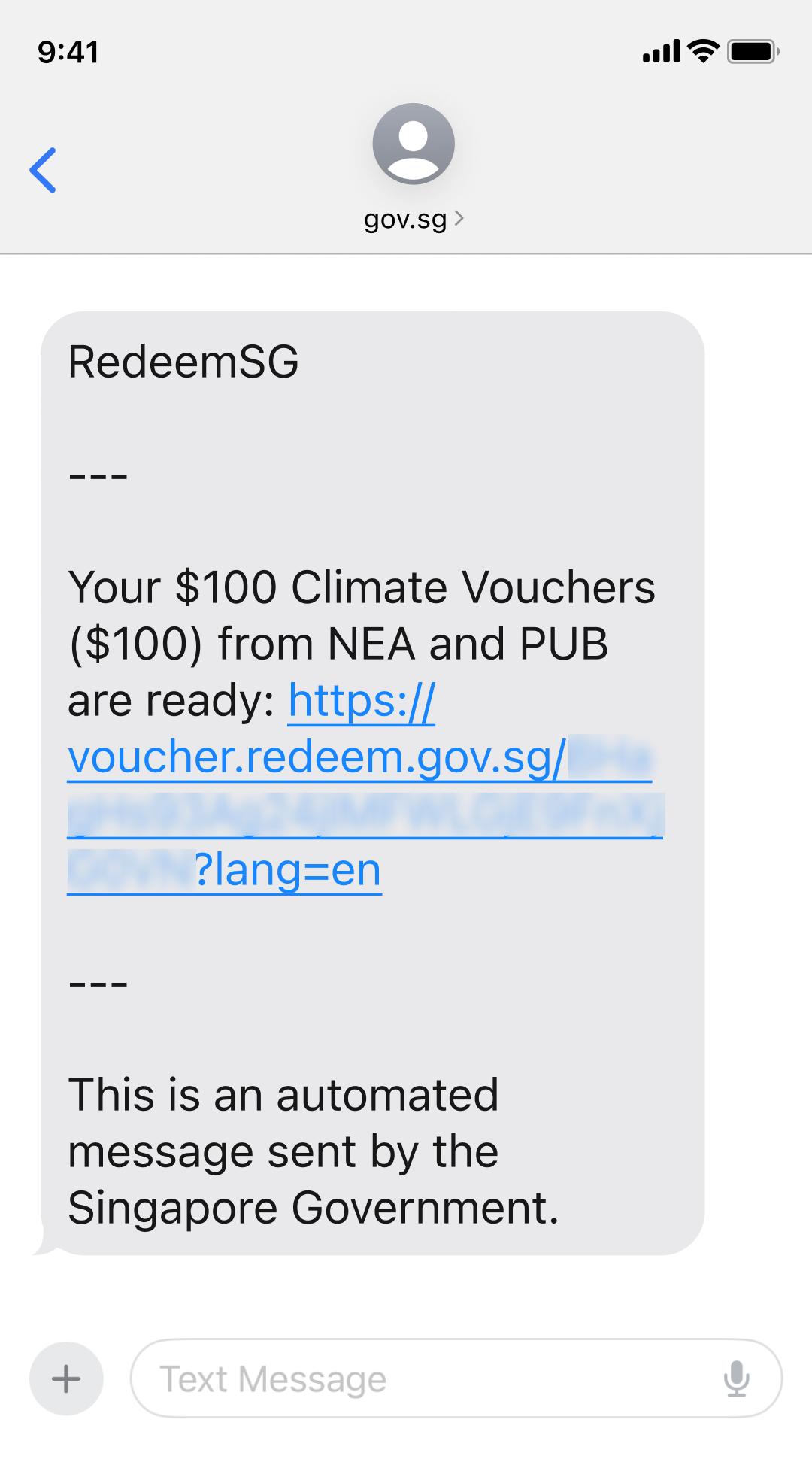
You will receive an SMS from gov.sg (opens in new tab) with the unique voucher link after you have claimed your Climate Vouchers at go.gov.sg/cv-claim (opens in new tab) (i.e. upon completing Steps 1 to 3).
The unique voucher link you receive should start with https://voucher.redeem.gov.sg/ (opens in new tab). Do not trust or click on any voucher links starting with unknown or other prefixes.
Do note that NEA, PUB and RedeemSG will never send any SMS asking for your personal information or banking details to claim your Climate Vouchers. If you receive such an SMS, do not click on the link or reply.
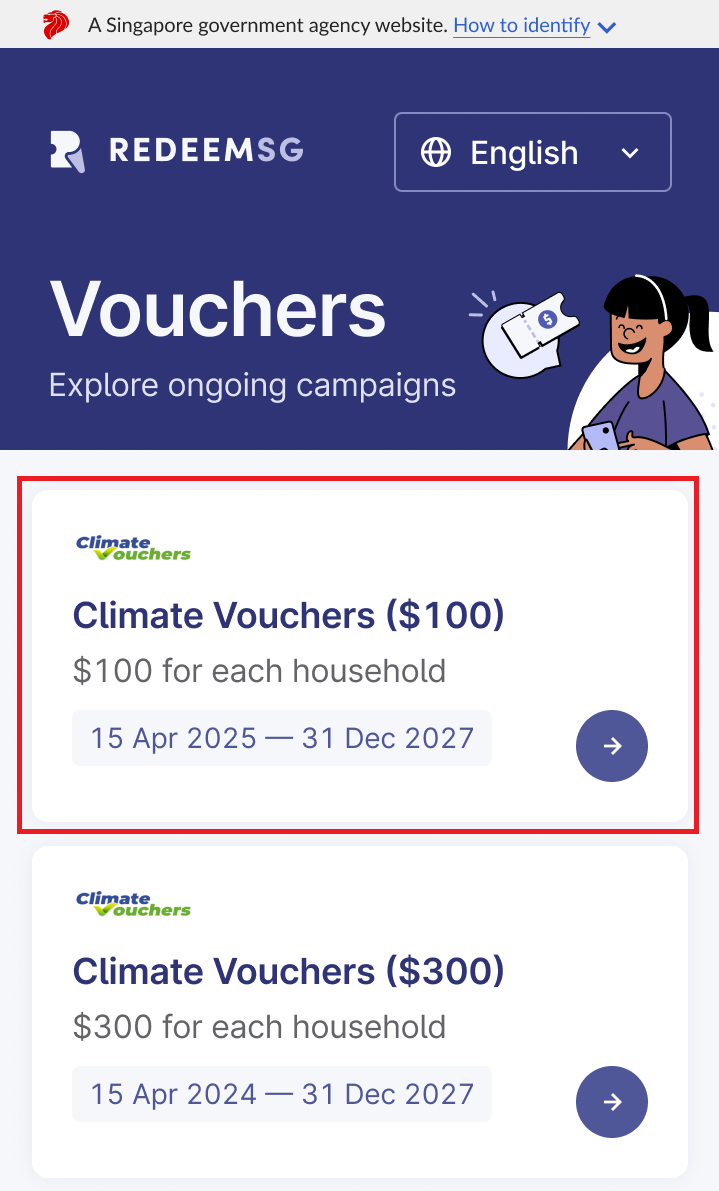
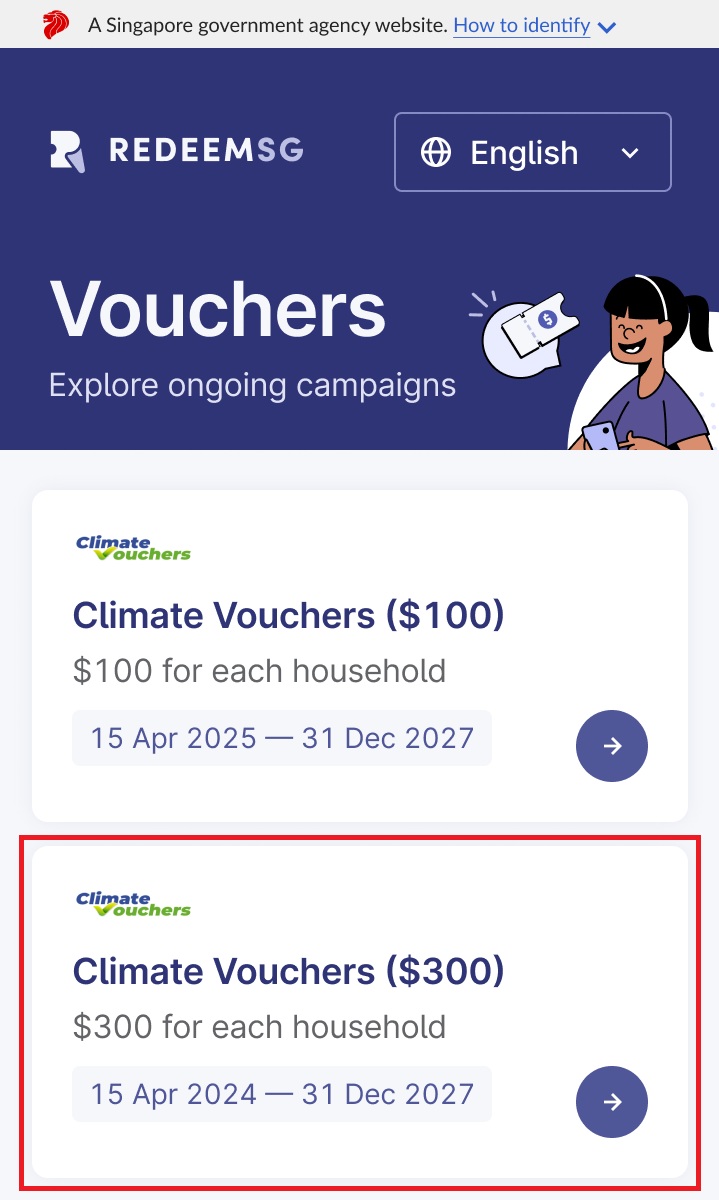
Visit go.gov.sg/cv-claim (opens in new tab)and tap on the Climate Voucher campaign you wish to claim (this guide uses 'Climate Vouchers ($100)' as an example)
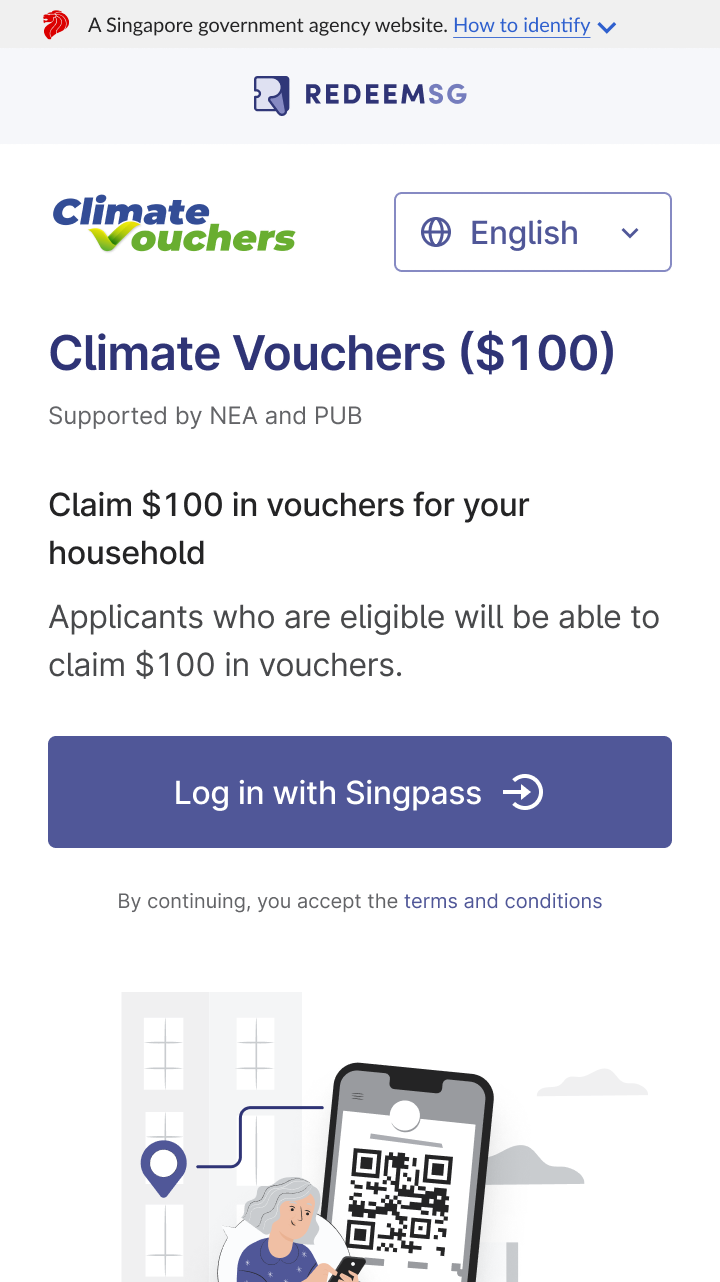
Log in with Singpass. Only one household* member needs to do this.
*Multiple families/tenants living in the same registered address are collectively entitled to one set of $300 and one set of $100 Climate Vouchers.
Receive the SMS link to your Climate Vouchers from "gov.sg (opens in new tab)".
Repeat steps to claim Climate Vouchers ($300), if you have not done so.
Instructions on spending the Climate Vouchers
As eligible residents will receive the vouchers based on their registered address at the point of claim, those who have shifted houses recently should update their registered address with ICA before making the claim.
Present proof of address with voucher
Choose the amount* to spend by tapping on the denomination tiles. Then tap 'Show voucher' to proceed.
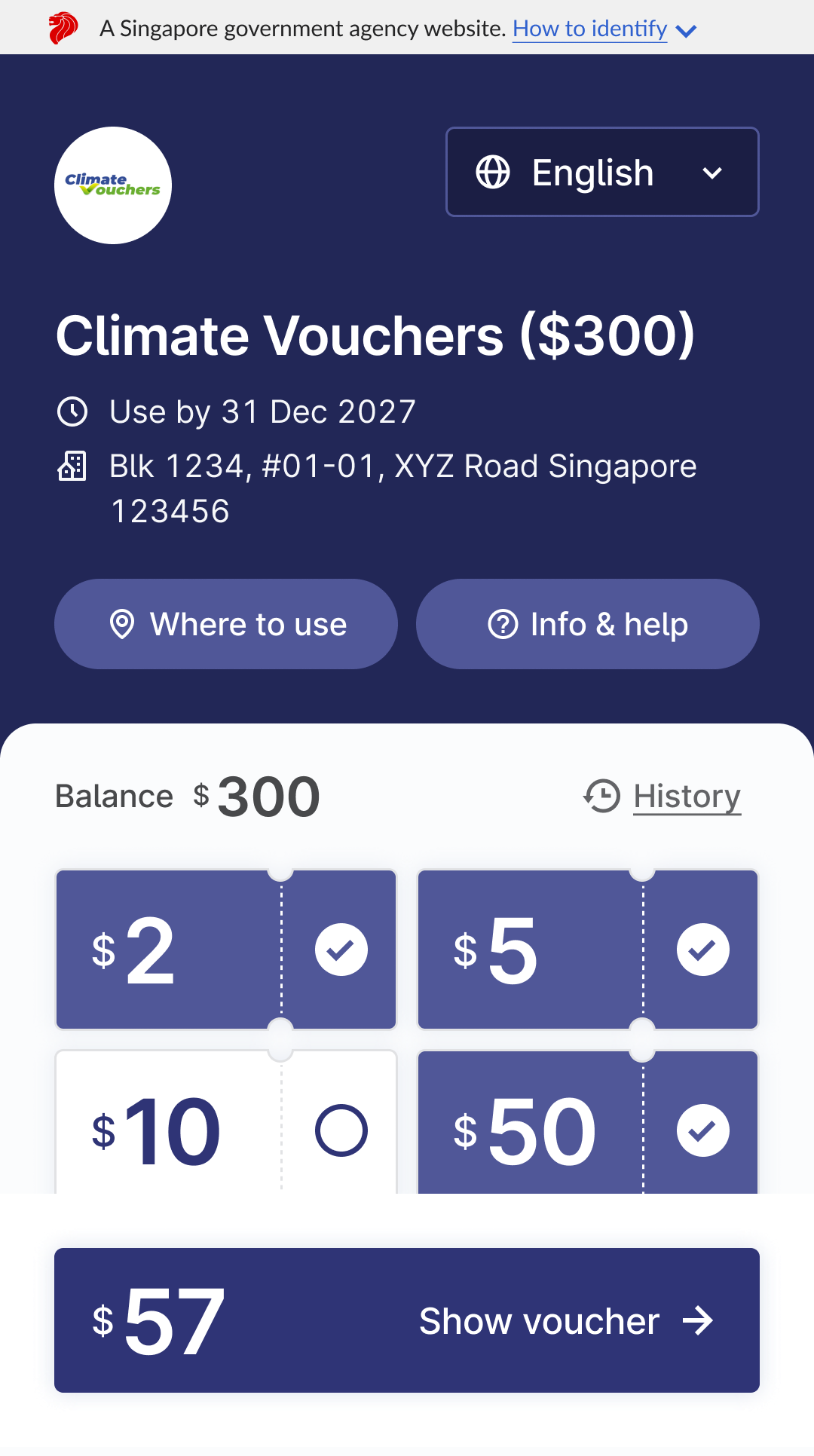
*If you wish to use vouchers from both campaigns ($300 and $100), select the vouchers from each campaign one at a time and show them to the retailer.
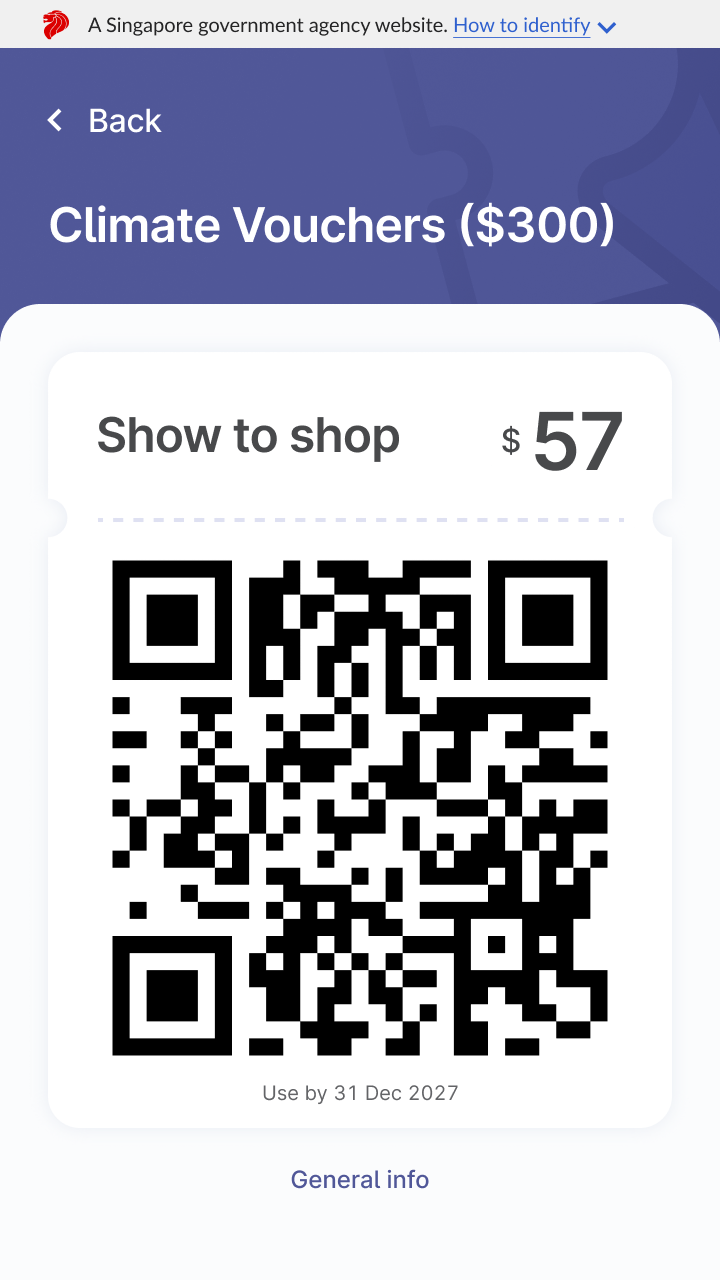
Show this QR code to the cashier to redeem your vouchers.